---
title: How to Upload a File to QuestionWell AI | Step-by-Step Guide
description: Easily upload files to generate new questions or convert existing ones into different formats on the Create Page with our intuitive tools.
image: https://questionwell.org/hubfs/Screenshot%202025-03-11%20at%202.54.46%20PM-1.png
---
[Skip to content](https://questionwell.org/upload#main-content)
[.png?width=180&height=45&name=QW%20LOGO%20(2).png)](https://questionwell.org/?hsLang=en)
- [Home](https://questionwell.org/)
- [Product](https://questionwell.org/product)
- [Partners](https://questionwell.org/partnerships)
- [Research](https://questionwell.org/research)
- [FAQs](https://questionwell.org/faqs)
- [Pricing](http://app.questionwell.org/pricing)
- [Privacy](https://questionwell.org/privacy-policy)
- [Contact](https://questionwell.org/contact)
Open main navigation
Close main navigation
- [Home](https://questionwell.org/)
- [Product](https://questionwell.org/product)
- [Partners](https://questionwell.org/partnerships)
- [Research](https://questionwell.org/research)
- [FAQs](https://questionwell.org/faqs)
- [Pricing](http://app.questionwell.org/pricing)
- [Privacy](https://questionwell.org/privacy-policy)
- [Contact](https://questionwell.org/contact)
- [Login](https://app.questionwell.org/)
[Login](https://app.questionwell.org/)
# How (and Why) to Upload a File in QuestionWell
## Why?
1\) If you want to generate questions based off a reading that you have saved as a file (PDF, ppt, img, doc, etc.)
OR
2\) If you have existing questions but you would like to convert them into a different format
## How?
On the Create Page, start by clicking on "based on file, text website, or video" on the third line.
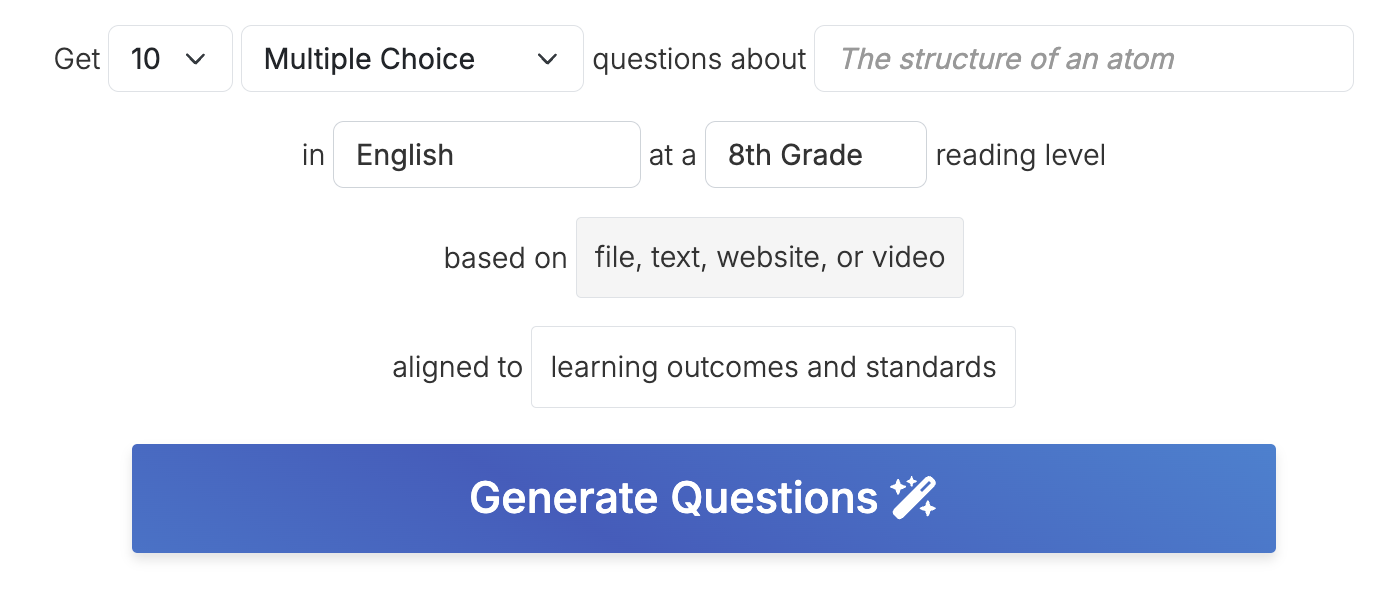
## 1) If you want to generate questions based off a reading that you have saved as a file (PDF, ppt, img, doc, etc.)
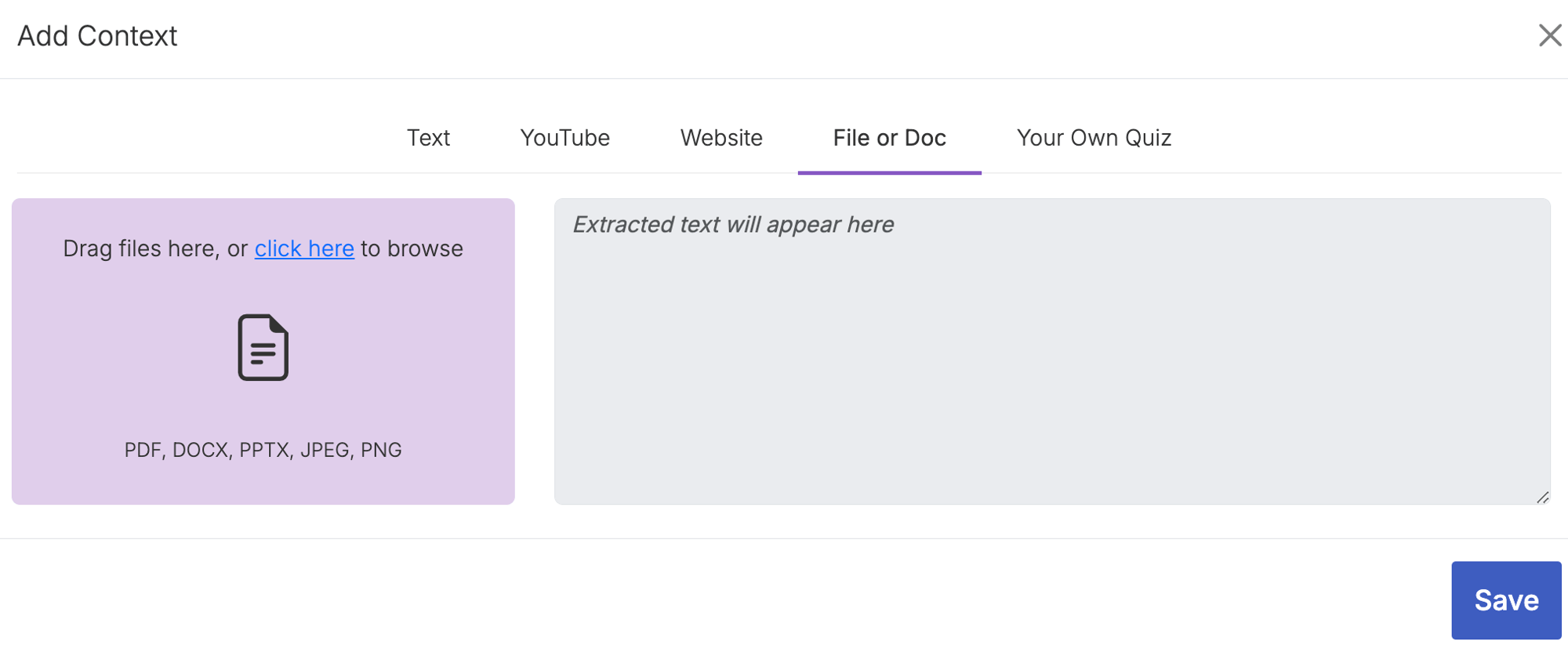
## Select "File or Doc" if you would like to upload a file to use as a basis for AI writing new questions.
## On the left, click on the purple box to browse your files, or drag and drop your file into the purple area. Either way, the AI will pull out the words into the right panel. You will then hit "Save" in the bottom right.
## You can see it saved because there is a little blue rectangle that says "File".
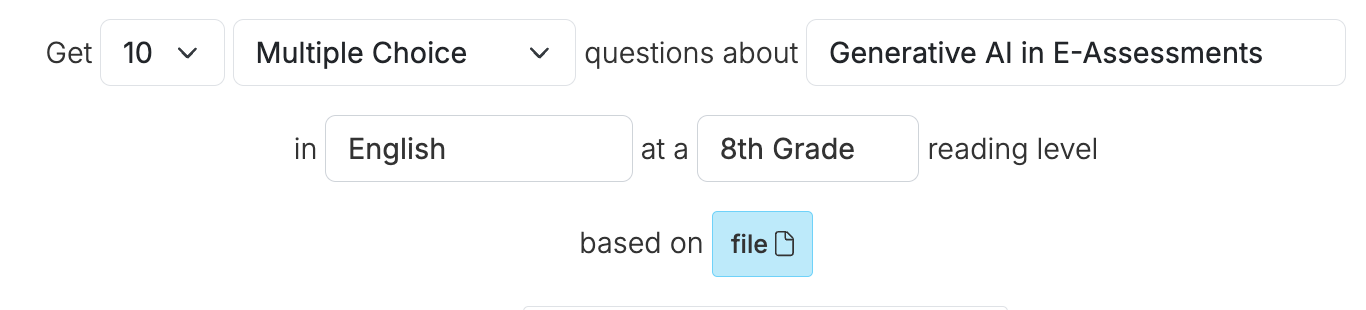
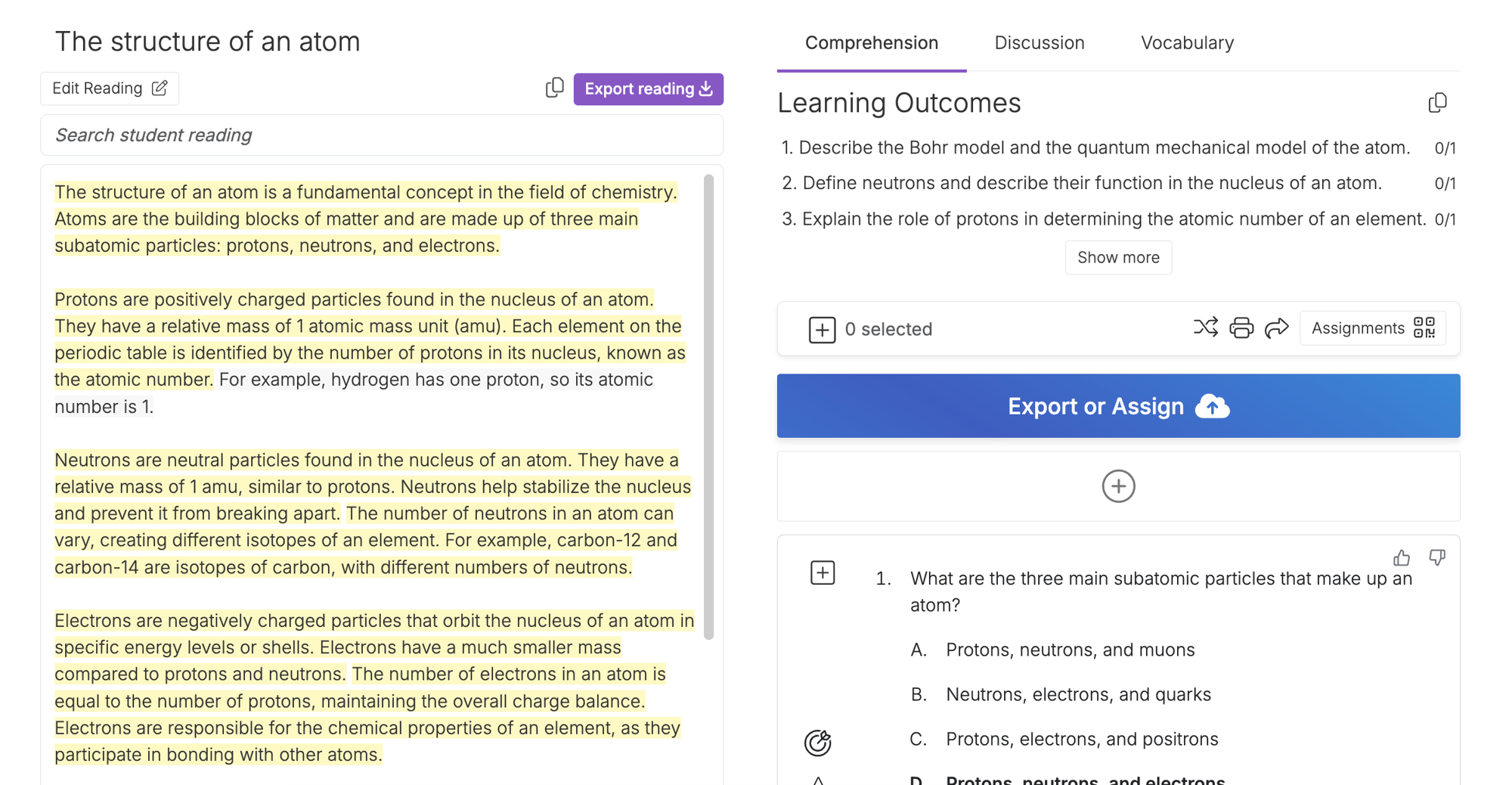
## Then Generate Questions as you normally would. The text from your file will appear on the left in the Reading section, which you can export into worksheets and use to refine the AI-generated questions.
## 2) If you have existing questions but you would like to convert them into a different format
## After you click on the "based on" button on the Create page, go to the Your Own Quiz tab.
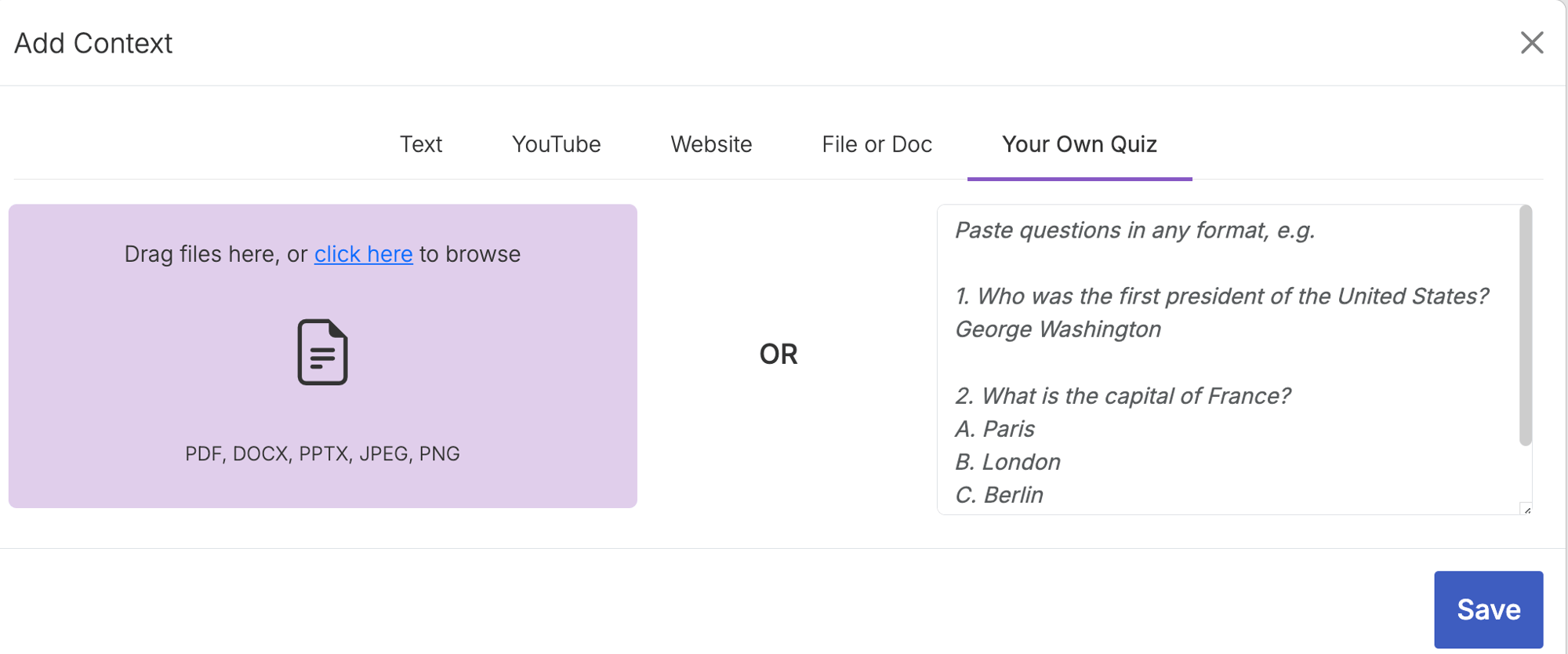

## On the left, click on the purple box to browse your files, or drag and drop your file into the purple area. Either way, the AI will pull out the questions into the right panel.
## You can also paste in your questions on the right side directly.
## Make any edits you need and hit "Save" in the bottom right.
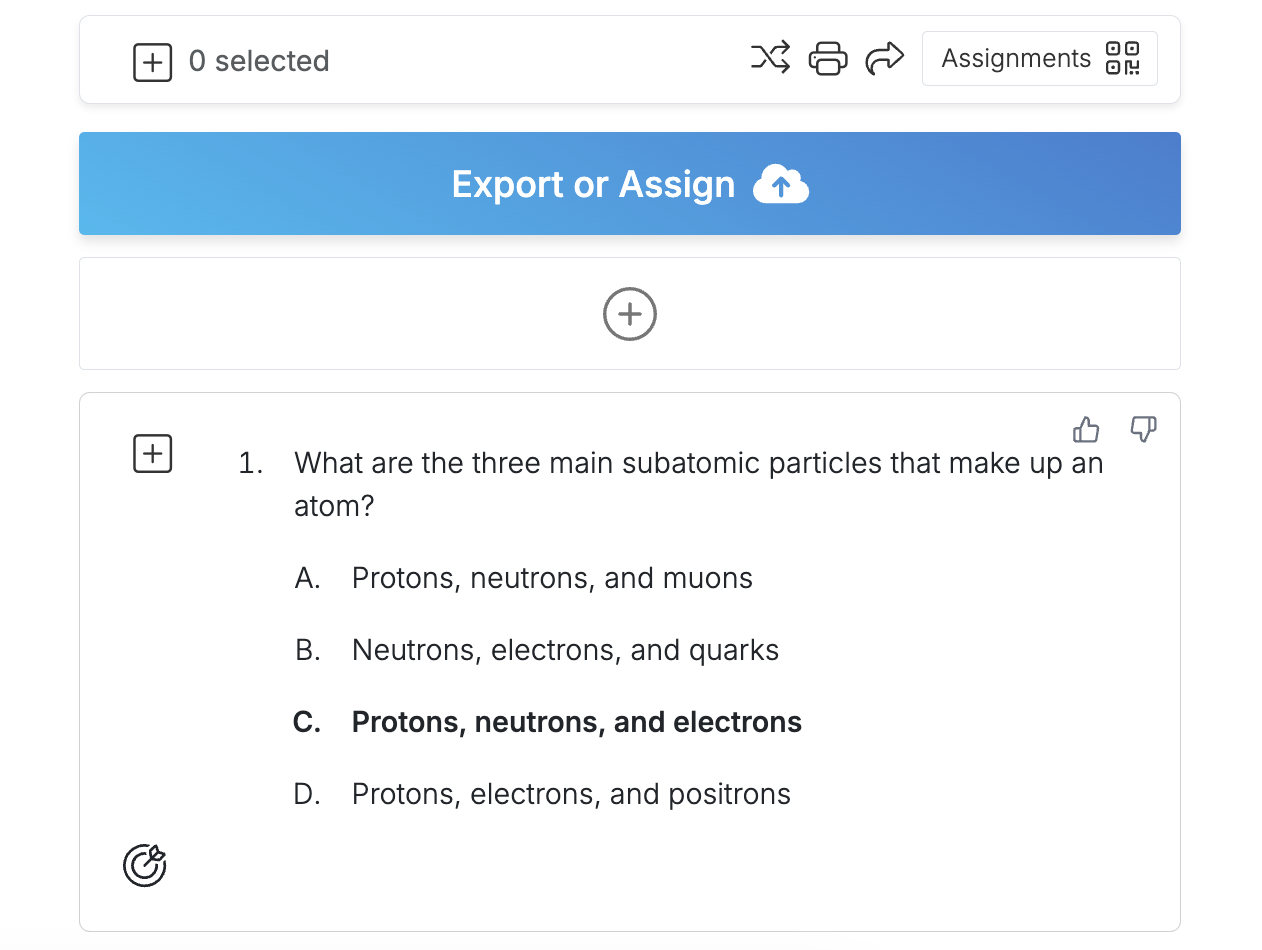
## Select all the questions you would like to export or assign, and then click Export or Assign.
.png?width=1000&height=248&name=QW%20LOGO%20(2).png "QW LOGO (2)")
[Terms of Service](https://questionwell.org/terms-of-service?hsLang=en)
[Privacy Policy](https://questionwell.org/privacy-policy?hsLang=en)
[FAQs](https://questionwell.org/faqs?hsLang=en)
[Contact Us](https://questionwell.org/contact?hsLang=en)