---
title: How to Add a Question to QuestionWell AI | Step-by-Step Guide
description: Easily create tailored questions from your reading by selecting text and using AI to generate relevant inquiries, enhancing comprehension and engagement.
image: https://questionwell.org/hubfs/Screenshot%202025-03-11%20at%203.13.54%20PM-1.png
---
[Skip to content](https://questionwell.org/add-q#main-content)
[.png?width=180&height=45&name=QW%20LOGO%20(2).png)](https://questionwell.org/?hsLang=en)
- [Home](https://questionwell.org/)
- [Product](https://questionwell.org/product)
- [Partners](https://questionwell.org/partnerships)
- [Research](https://questionwell.org/research)
- [FAQs](https://questionwell.org/faqs)
- [Pricing](http://app.questionwell.org/pricing)
- [Privacy](https://questionwell.org/privacy-policy)
- [Contact](https://questionwell.org/contact)
Open main navigation
Close main navigation
- [Home](https://questionwell.org/)
- [Product](https://questionwell.org/product)
- [Partners](https://questionwell.org/partnerships)
- [Research](https://questionwell.org/research)
- [FAQs](https://questionwell.org/faqs)
- [Pricing](http://app.questionwell.org/pricing)
- [Privacy](https://questionwell.org/privacy-policy)
- [Contact](https://questionwell.org/contact)
- [Login](https://app.questionwell.org/)
[Login](https://app.questionwell.org/)
# How (and Why) to Add a Question in QuestionWell
## Why?
AI generated questions but not about the specific part of the reading you wanted. You can use AI to generate new questions specific to each sentence in the reading.
## How?
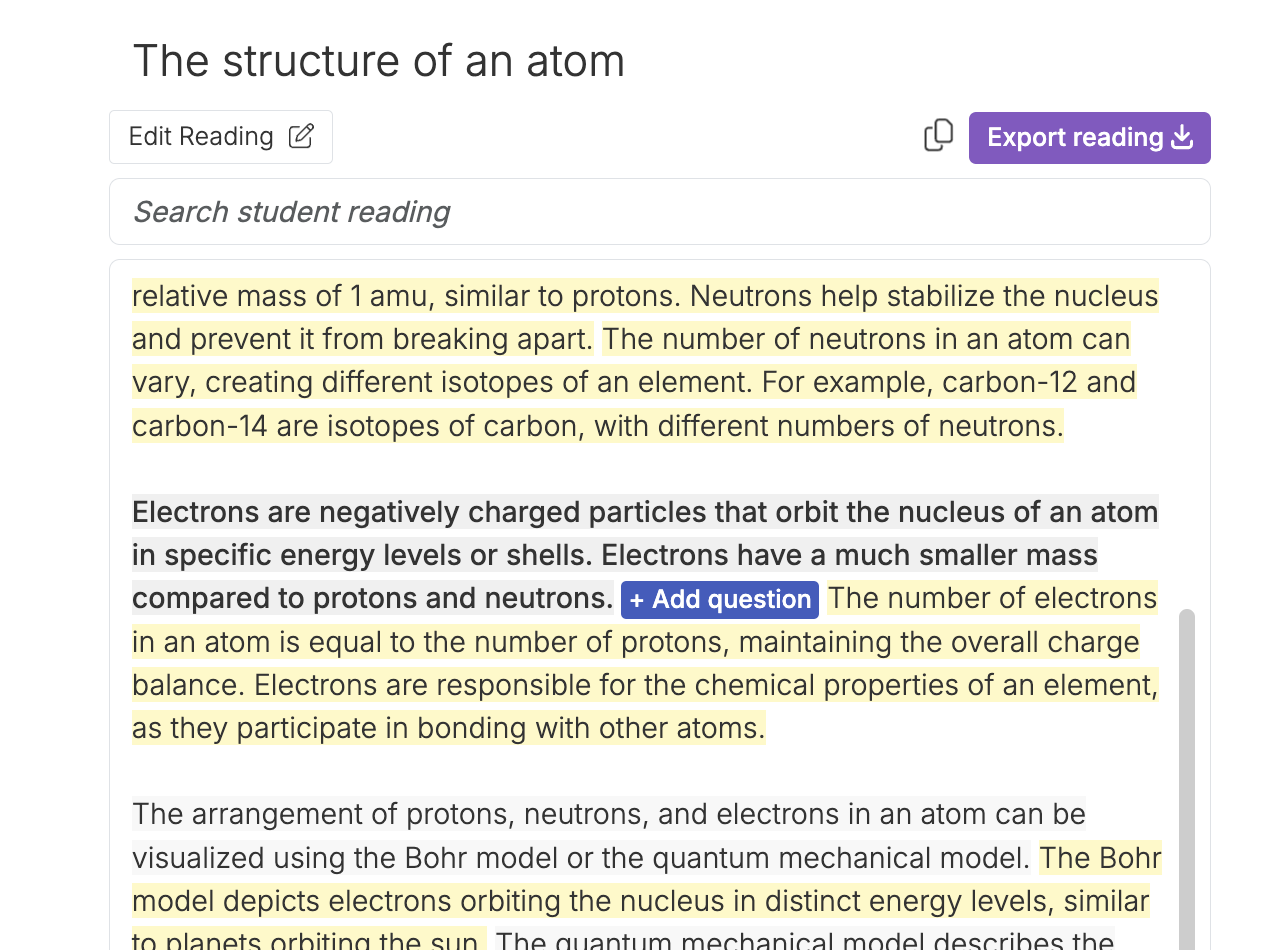
Once AI has generated questions, you will see the reading they are based on on the left side of the page. Highlighted portions mean that there are questions associated with those sections. Click on a highlighted section to see the question(s) associated.
Click on a portion of the reading (or click and drag to highlight multiple sentences) that is not highlighted.
You will see a little Add Question button pop up after the portion of text you selected.
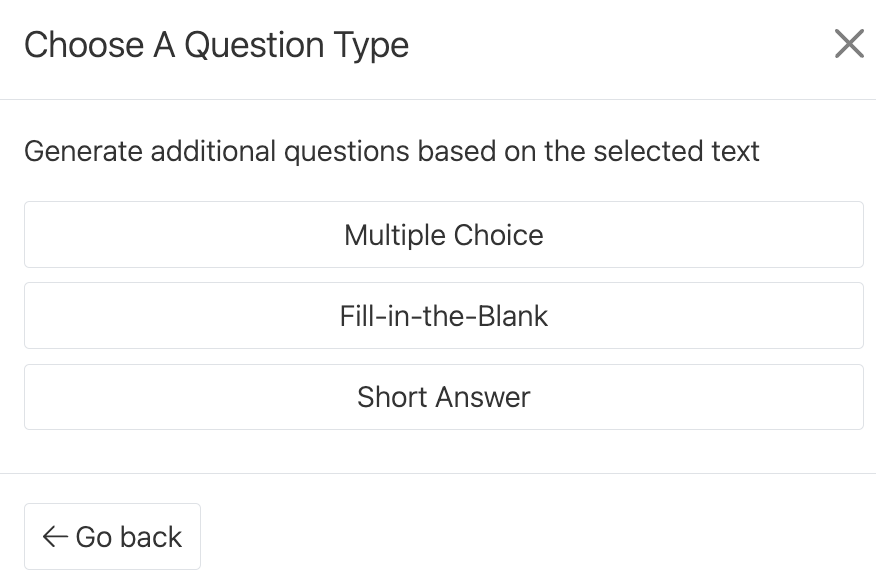
## Choose a question format that you would like your new question to follow.
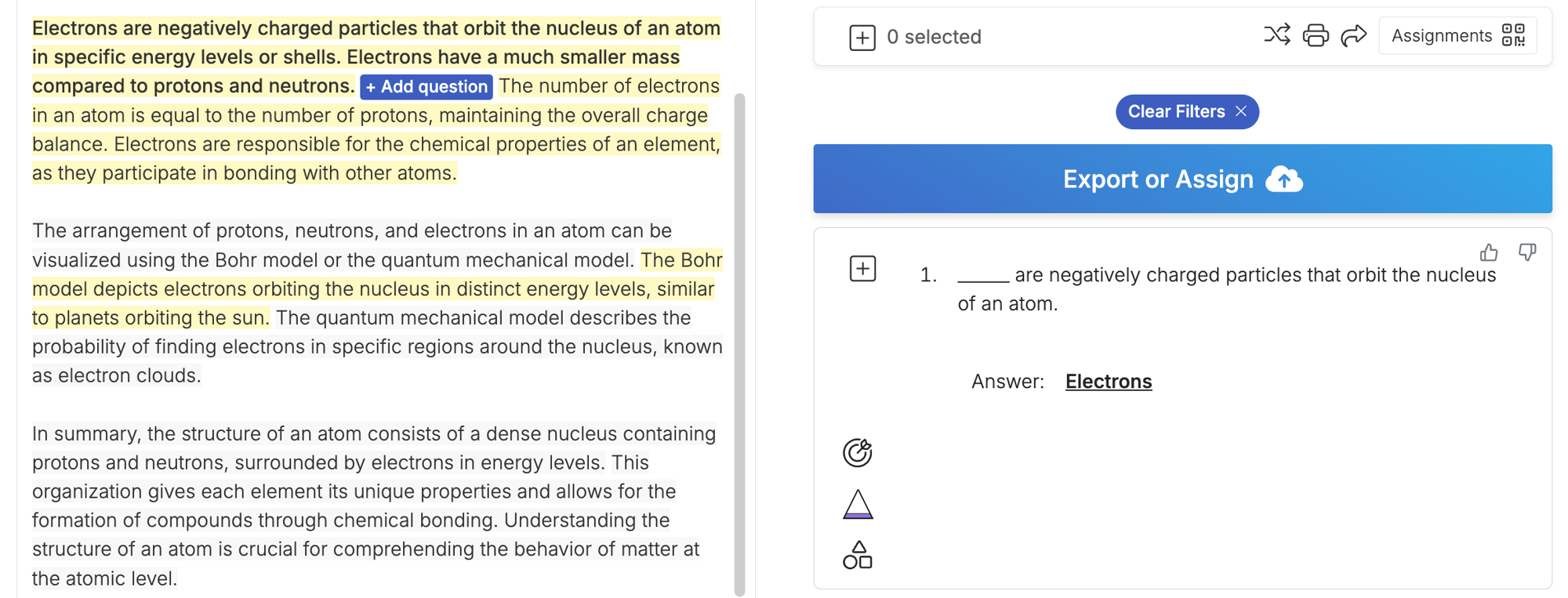
## You will see the new question on the right, with the text it is based on highlighted on the left.
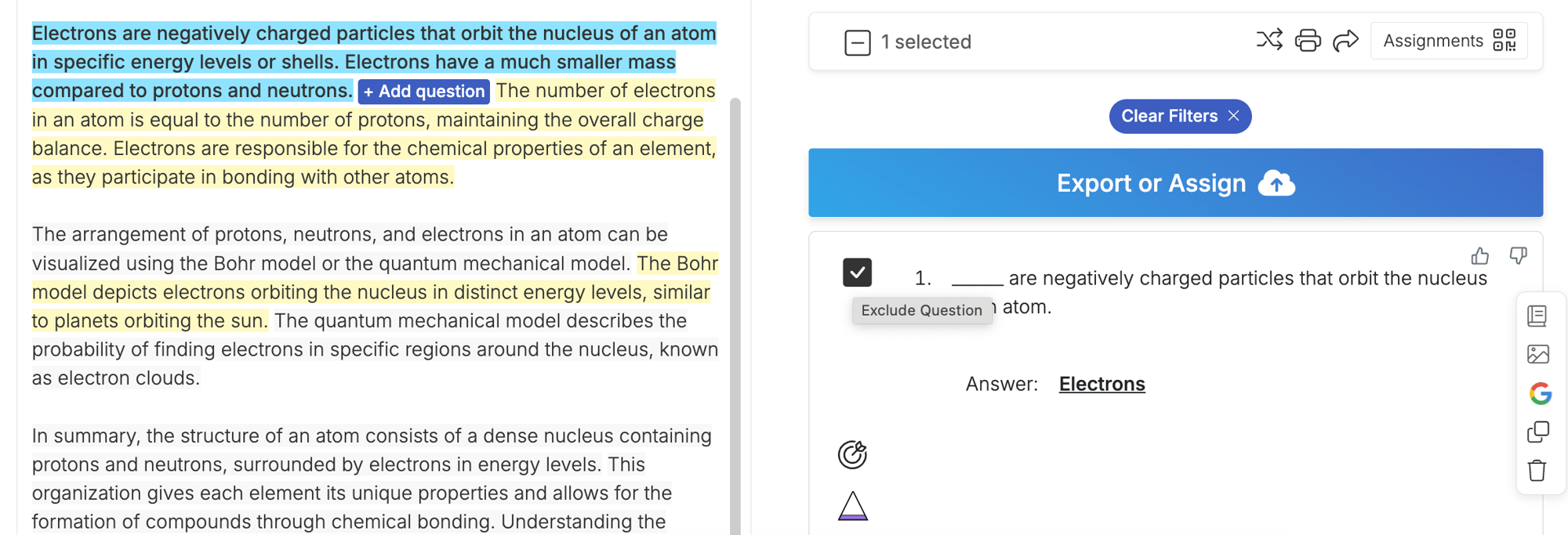
## To add this question to your question set, press the + sign.
## To see the other questions, click Clear Filters.
.png?width=1000&height=248&name=QW%20LOGO%20(2).png "QW LOGO (2)")
[Terms of Service](https://questionwell.org/terms-of-service?hsLang=en)
[Privacy Policy](https://questionwell.org/privacy-policy?hsLang=en)
[FAQs](https://questionwell.org/faqs?hsLang=en)
[Contact Us](https://questionwell.org/contact?hsLang=en)